Platform:Windows2000,WinXP,Windows2003,Windows Vista Starter,Windows Vista Home Basic,Windows Vista Home Premium,Windows Vista Business,Windows Vista Enterprise,Windows Vista Ultimate
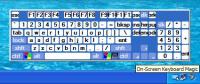
On-Screen Keyboard Magic is utility that controls the behavior of Windows On-Screen Keyboard on the screen and adds many elegant features. On-Screen Keyboard Magic is intended to improve usability and accessibility of Microsoft On-Screen Keyboard.
On-Screen Keyboard Magic is a utility that controls the behaviour of Microsoft Windows On-Screen Keyboard on the screen and adds many elegant features. On-Screen Keyboard is a utility that displays a virtual keyboard on the screen and allows users with mobility impairments to type data using a pointing device or joystick. On-Screen Keyboard Magic is intended to improve usability and accessibility of Microsoft On-Screen Keyboard. On-Screen Keyboard Magic supports the following versions of Microsoft On-Screen Keyboard: Windows XP On-Screen Keyboard, Windows 2000 On-Screen Keyboard, Windows 2003 On-Screen Keyboard, Windows Vista On-Screen Keyboard. On-Screen Keyboard Magic is small tray-based program.
With it you can:
1.Change size and transparency of Microsoft On-Screen Keyboard.
2.Quick switch input language by right mouse button click on Microsoft On-Screen Keyboard.
3.Hide the title bar of Microsoft On-Screen Keyboard.
4.Show and hide Microsoft On-Screen Keyboard by using wheel mouse button or floating icon.
5.Quick move Microsoft On-Screen Keyboard to mouse cursor position by wheel mouse button double click.
6.Move Microsoft On-Screen Keyboard by dragging any empty point of Microsoft On-Screen Keyboard window by Left mouse button.Operating system: Windows2000,WinXP,Windows2003,Windows Vista Starter,Windows Vista Home Basic,Windows Vista Home Premium,Windows Vista Business,Windows Vista Enterprise,Windows Vista Ultimate Release notes: New Release
Tired of boring icons on your PC? Get Bee Icons, the best icon manager that will return the excitement to desktop by replacing standard icons. One click and you won't even recognize old desktop ? bright colors, eye-catching icons, groovy look.
Price: $19.95, Rating: 5, Downloads: 78 Download
BatteryWatch is a tiny tool for notebook owners that shows the remaining battery capacity in an icon in the explorer status bar. A log file is written in order to monitor the battery lifetime.
Price: $0, Rating: 10, Downloads: 53 Download
User Rating
Rating:2.2 out of
5 Based on13 ratings.
13 user reviews.

 On-Screen Keyboard Magic 1.0 details